
Telegram bot — photo background replacement
// Goal
Replace a trip to a photo studio for a single portrait for a company page or document — and still get a shot that will be accepted.
// Brief
Build a bot that first explains how to take the shot and only then processes it, because the quality of the result is set by the source, not by the algorithm.
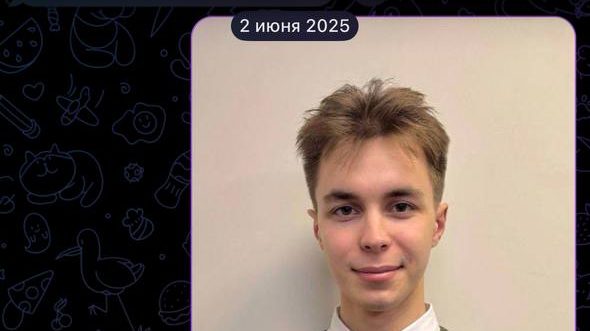
How we built it
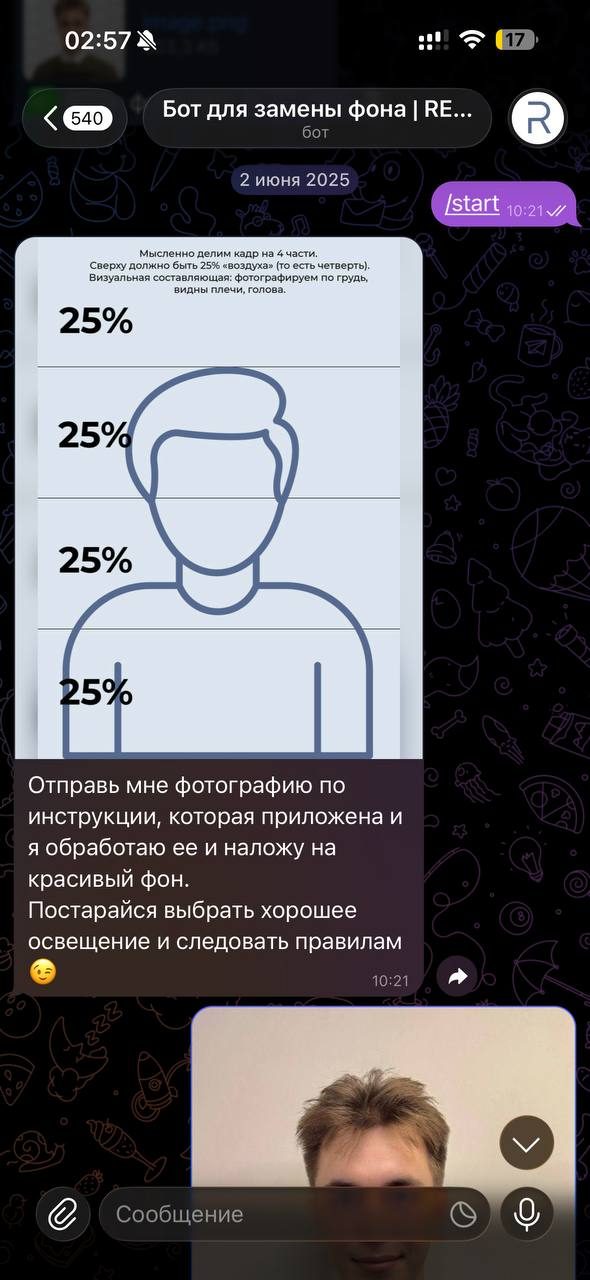
The main cause of a bad result in services like this is a bad source: shot from below, head cropped, shadow on the wall. So the bot opens not with an upload but with a guide: divide the frame into four, keep a quarter of air above the head, shoot to the chest with shoulders and head visible. The guide arrives as a picture: it does not need reading, only looking at.
After that everything narrows to one step: the user sends a photograph, the bot processes it and returns the finished file. No settings, no background picker, no modes — because the task has one correct outcome, and offering choices here would hand the work back to the user.
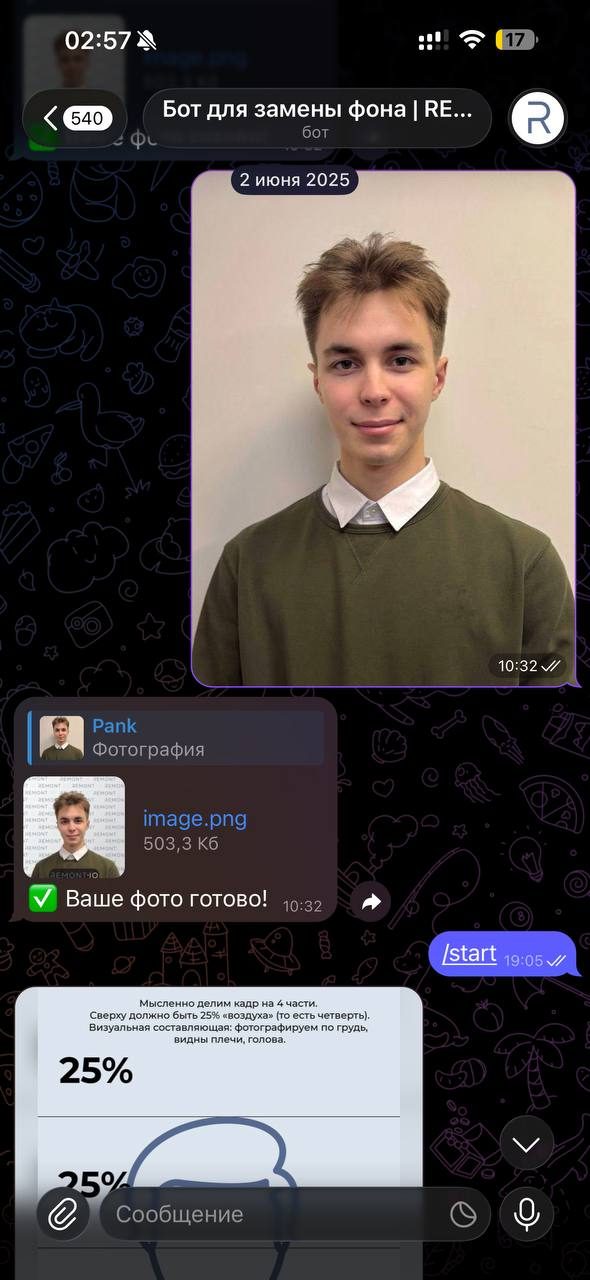
The result comes back as a file: Telegram re-compresses images by default, and a document portrait cannot be used after that.
Stages of delivery
Framing guide
A diagram as an image: the rule of quarters, a quarter of air above the head, shot to the chest with shoulders visible.
Photo intake
One step with no settings: the user sends the shot and chooses nothing else.
Automatic processing
The figure is separated from the background and placed on a clean one with no operator involved.
Returned as a file
The finished portrait arrives as an uncompressed file, so it can be used in documents.
Outcome
The bot closes the task in one step: guide, photograph, finished portrait on a clean background. No operator takes part.
The result returns as an uncompressed file — usable for documents and company pages.
Other cases
Want the same outcome?
Tell us about the task — we will design, build and ship a solution for it.