
Mobile app — baby sleep and growth tracker
// Goal
Help a parent build a routine without spreadsheets or guesswork. The app is used one-handed, in the dark, half asleep — and that governs everything else.
// Brief
Design the full path: registration, onboarding with a questionnaire about the child, daily sleep and feeding tracking, reports and premium features — in two themes.
How we built it
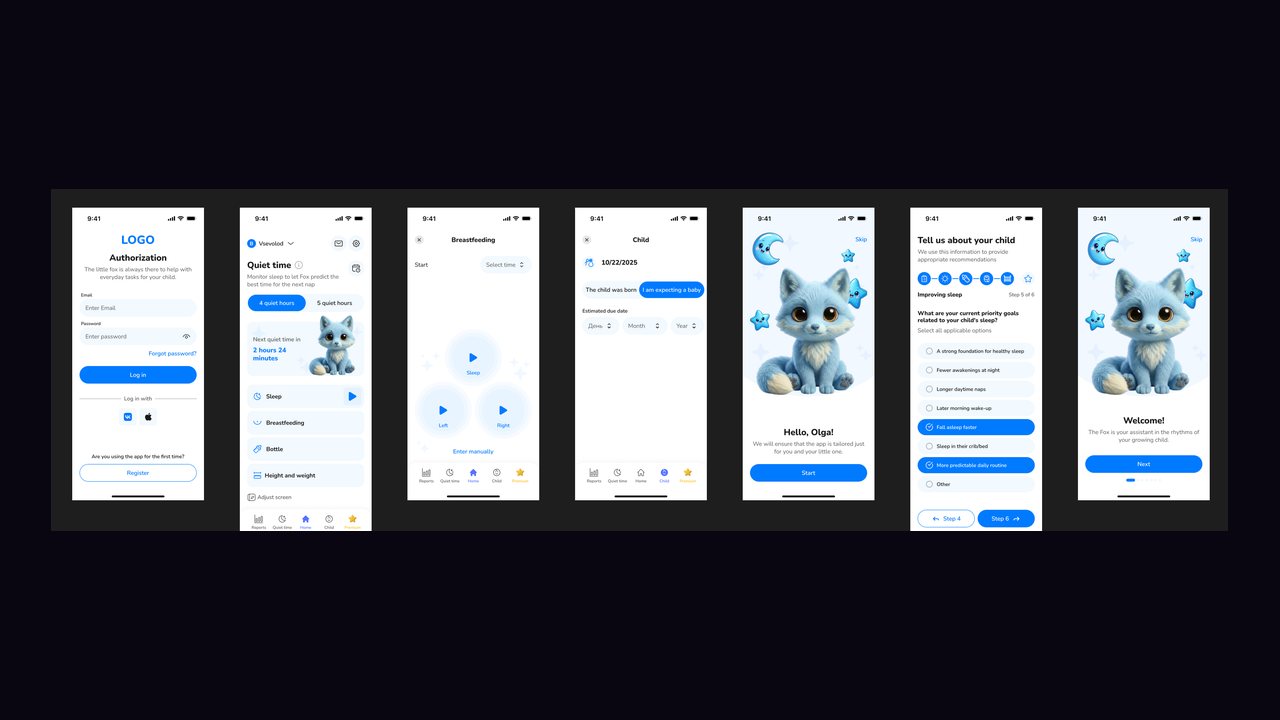
The governing constraint is the user's state. A parent opens the app at night, one-handed, holding the baby in the other. So the home screen is given to the next action: the next sleep window in large type and a short list of what can be logged right now — sleep, feeding, bottle, height and weight.
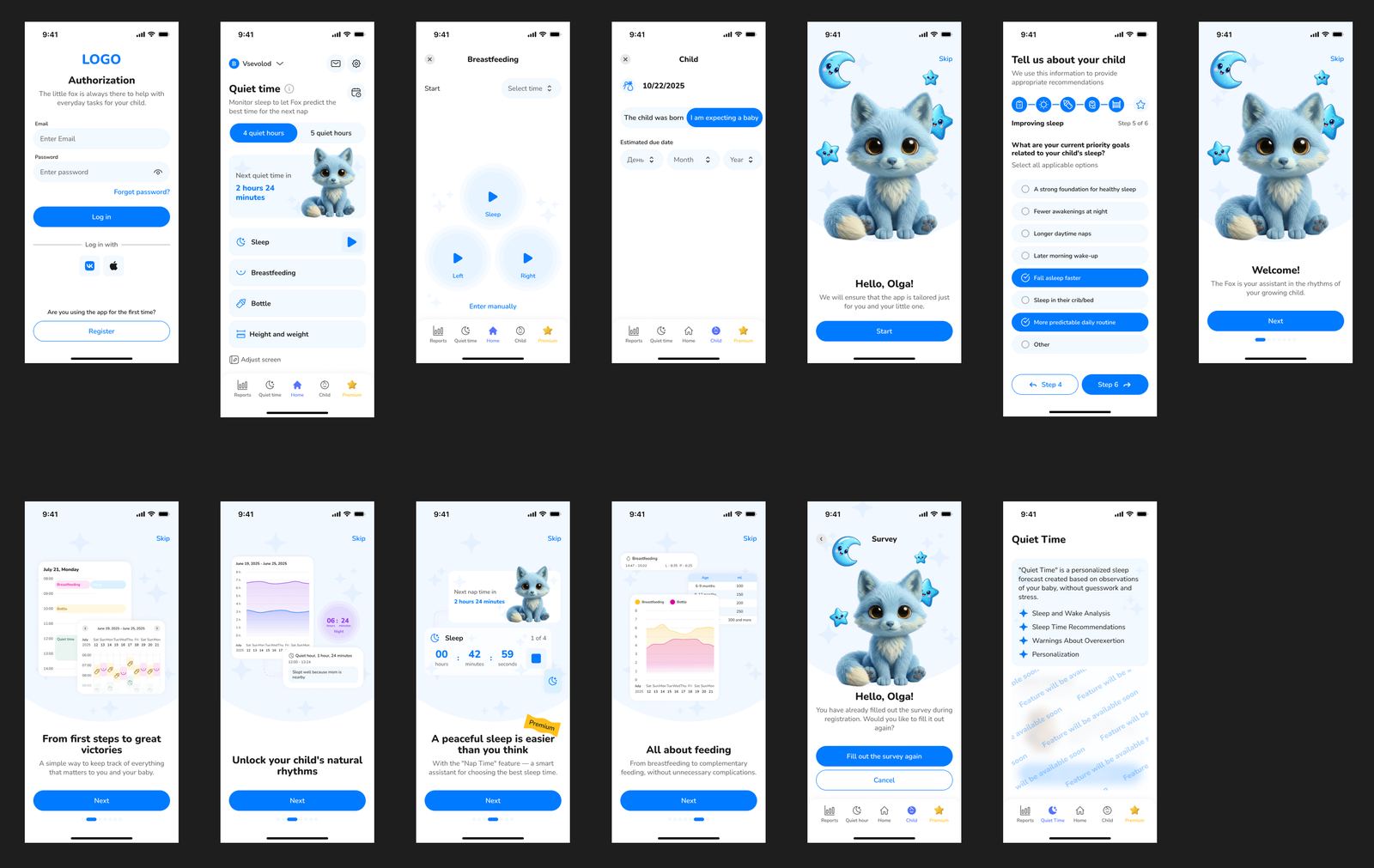
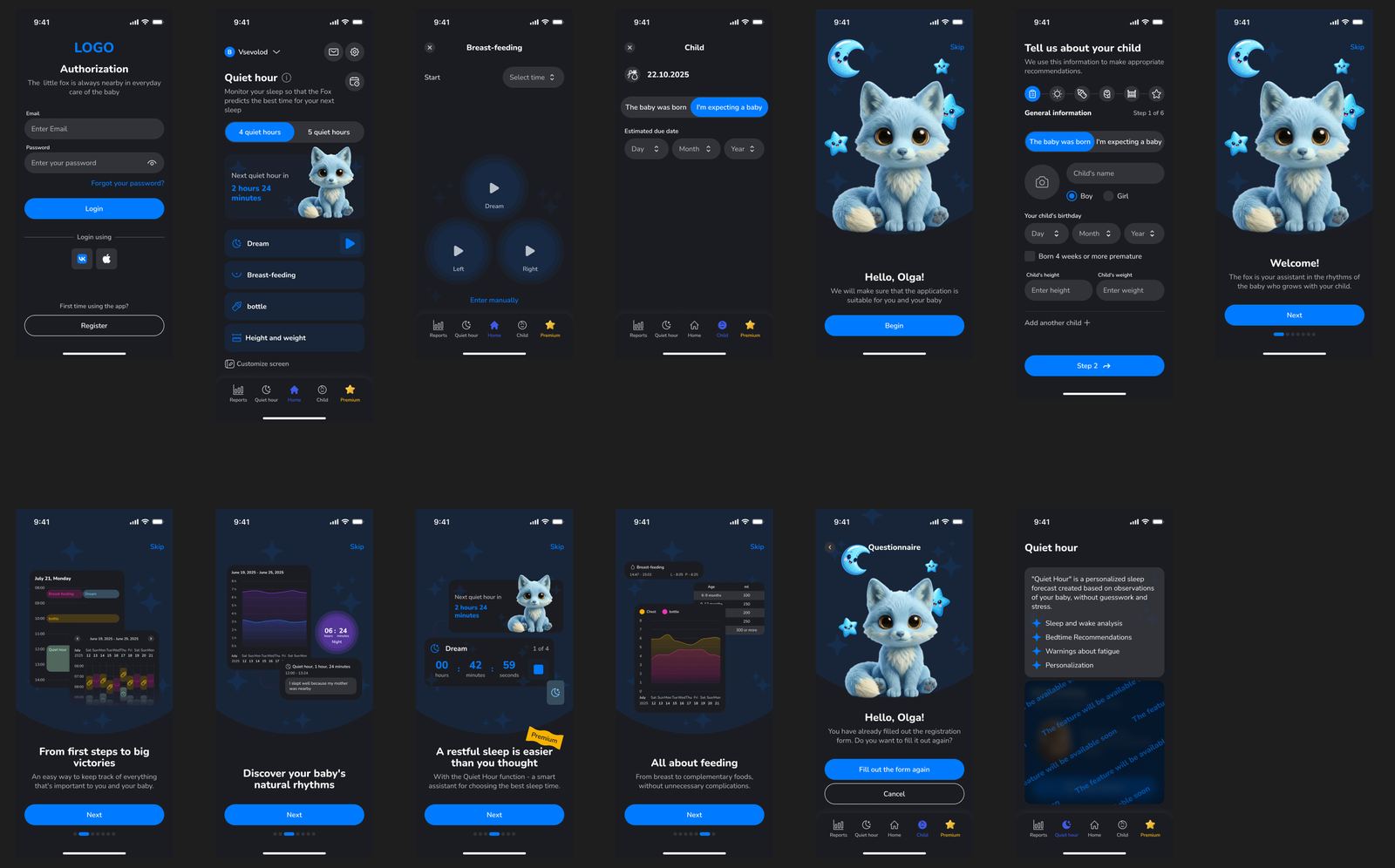
Six onboarding steps collect the data the forecast depends on: whether the baby has been born or is expected, name, sex, date of birth, height and weight, a note on premature birth, and the option to add a second child. A separate step captures the parent's priority goals: a foundation for healthy sleep, fewer night awakenings, longer daytime naps, a later morning wake-up, falling asleep faster, a more predictable daily routine. Every step can be skipped.
The Quiet Hour feature is a personalised sleep forecast built on observation of the individual child: sleep and wake analysis, bedtime recommendations, and warnings about overtiredness. Reports are gathered into charts and a calendar: a daily sleep map, week-by-week dynamics, and a feeding breakdown from breast to complementary foods.
Stages of delivery
Sign-in and registration
Email and third-party sign-in, password recovery, and a separate path for first launch.
Six-step onboarding
A questionnaire about the child — name, sex, date of birth, height and weight, premature birth — with skip and add-another-child options.
Priority goals
The parent selects goals: a foundation for healthy sleep, fewer night awakenings, longer naps, later wake-up, faster settling.
Quiet Hour
A personalised sleep-window forecast from observed data: sleep and wake analysis, bedtime recommendations, overtiredness warnings.
Daily tracking
Sleep, breastfeeding with a side selector, bottle, height and weight — by timer or manual entry.
Reports and premium
A daily sleep map, weekly dynamics, feeding breakdown, an event calendar and a dedicated premium section.
Two themes
The full screen set in light and dark themes, the dark one designed for night-time use.
Outcome
A complete screen set from sign-in to reports, drawn in light and dark themes. Six onboarding steps collect the data behind the forecast while letting the parent skip any of them.
The night-time scenario is handled explicitly: a dark theme, large action targets and a minimum of required fields.
Other cases
Want the same outcome?
Tell us about the task — we will design, build and ship a solution for it.